
Google Gemini Has Grown Up
When Google first launched Gemini as a response to ChatGPT, the reaction was mixed. Early versions were inconsistent, and the platform struggled to differentiate itself from OpenAI's offerings. That has changed significantly.
In 2026, Google Gemini is a genuinely powerful AI platform with capabilities that, in some areas, surpass what ChatGPT offers — particularly for users who live in the Google ecosystem. If you use Gmail, Google Docs, Google Sheets, or Google Drive, Gemini's integration with those tools creates a workflow advantage that standalone AI tools cannot match.
Here is how to use it effectively.
Google Gemini: What It Does and Why It Matters
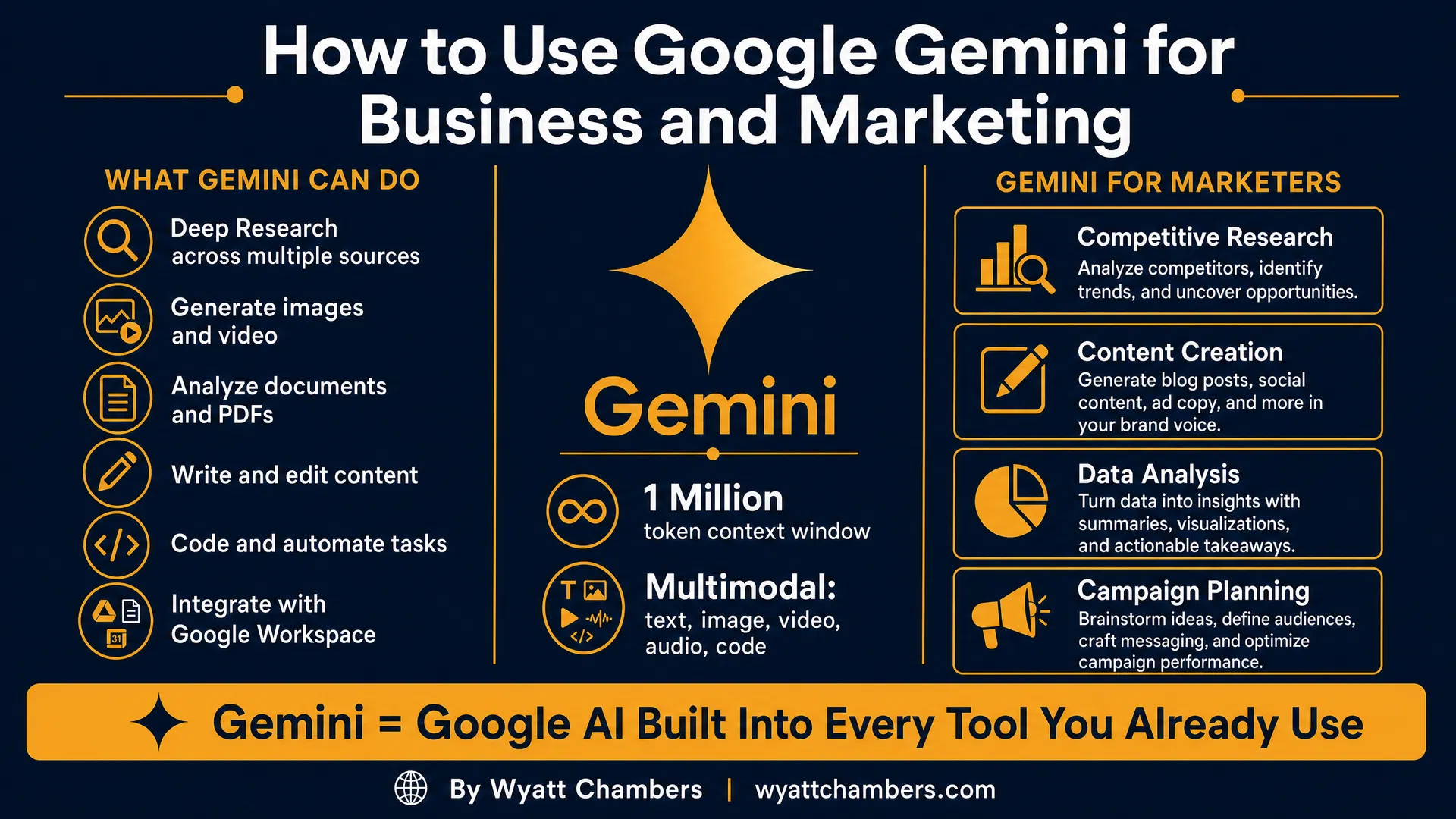
Google Gemini Key Capabilities:
- 1 million token context window — analyze entire books, large codebases, or massive datasets
- Multimodal — processes text, images, video, audio, and code
- Real-time Google Search — unlike ChatGPT, Gemini has live web access
- Deep Research — multi-step research across dozens of sources in 10-15 minutes
- Google Workspace integration — built into Gmail, Docs, Sheets, and Slides
- 4 key marketing use cases: Competitive Research, Content Creation, Data Analysis, Campaign Planning
Getting Started: Gemini.google.com
The primary interface for Gemini is gemini.google.com. You can access it with any Google account, and the free tier is generous. Gemini Advanced (available through Google One AI Premium) unlocks the most capable models and additional features including Deep Research.
The interface is similar to ChatGPT — a conversational text input where you can ask questions, request content, analyze documents, and more. But several features set it apart.
Feature 1: Real-Time Google Search Integration
Unlike ChatGPT's base model (which has a knowledge cutoff), Gemini has native access to real-time Google Search results. When you ask Gemini about current events, recent news, or up-to-date information, it can search the web and synthesize current information into its response.
For marketers, this is enormously useful. Ask Gemini to research your competitors' recent announcements, summarize industry news, or identify trending topics in your niche — and it will pull current information rather than relying on training data that may be months old.
Feature 2: Deep Research
Gemini's Deep Research feature conducts multi-step web research on a topic, synthesizing information from dozens of sources into a comprehensive report. You give it a research question, it creates a research plan, executes it across multiple web sources, and delivers a structured report with citations.
This is one of the most time-saving features in any AI tool. Tasks that would take a human researcher 2-4 hours — competitive analysis, market sizing, due diligence on a potential partner or acquisition — can be completed in 10-15 minutes with Deep Research.
Feature 3: Google Workspace Integration
This is where Gemini's competitive advantage is most pronounced. Gemini is integrated directly into Google Docs, Gmail, Google Sheets, and Google Slides.
In Gmail, Gemini can draft email responses, summarize long email threads, and help you manage your inbox more efficiently. In Google Docs, it can help you write, edit, and improve documents. In Google Sheets, it can analyze data, create formulas, and generate charts from natural language descriptions. In Google Slides, it can help create presentations from outlines.
For business owners who already use Google Workspace, this integration eliminates the friction of switching between tools. Your AI assistant is built into the tools you already use every day.
Feature 4: Multimodal Capabilities
Gemini can process and analyze images, PDFs, and other files in addition to text. Upload a competitor's brochure and ask Gemini to identify their positioning and key messages. Upload a financial report and ask for a summary of the key metrics. Upload a photo of a whiteboard from a strategy session and ask Gemini to turn it into a structured document.
Practical Use Cases for Business Owners
Content creation: Use Gemini to draft blog posts, social media content, email newsletters, and marketing copy. Its real-time search integration means it can incorporate current information and trends.
Research and competitive intelligence: Use Deep Research to analyze competitors, research market trends, and gather information for strategic decisions.
Email management: Use Gemini in Gmail to draft responses, summarize threads, and manage your inbox more efficiently.
Data analysis: Use Gemini in Google Sheets to analyze customer data, create reports, and identify trends.
Meeting preparation: Ask Gemini to research a company or individual before an important meeting, synthesizing publicly available information into a briefing document.
Visit gemini.google.com to start exploring. If you are already a Google Workspace user, check your Google Docs and Gmail for the Gemini icon — you may already have access to the integrated features.